







the hard part.
EDITING IT WAS.
Showit Code Editors by Northfolk
Done-for-you Showit canvases, each with its own editor. Change the words, colors and speed, watch it update live, then paste the finished code.
.nf-marquee__track {
animation: nf-scroll 18s linear infinite;
gap: 2.4rem;
}
.nf-marquee__item {
color: #141313;
font-size: clamp(1.2rem, 3vw, 2.4rem);
letter-spacing: 0.04em;
}
You bought the snippet. Pasted it into an embed. It worked and that's genuinely
thrilling.
Then you wanted it to say your words instead of ours. In your colors. A little slower.
So you opened the code, found something called animation: 18s, changed it to 30, and now the mobile version is doing... something.
Which line makes it slower? (It's the highlighted one. You'd have found it eventually.)
The animation looked great (on the demo).
Each editor is sold on its own, with its own DFY canvas. Buy the one your site needs. Come back when the next project needs another.
Add to Cart
View Demo
Canvas + Editor
Marquee Editor
$27 - $97
Add to Cart
View Demo
Canvas + Editor
Ribbon Marquee Editor
$27 - $97
Add to Cart
View Demo
Canvas + Editor
Circle Text Editor
$27 - $97
Add to Cart
View Demo
Canvas + Editor
FAQ Accordion Editor
$27 - $97
Add to Cart
View Demo
Canvas + Editor
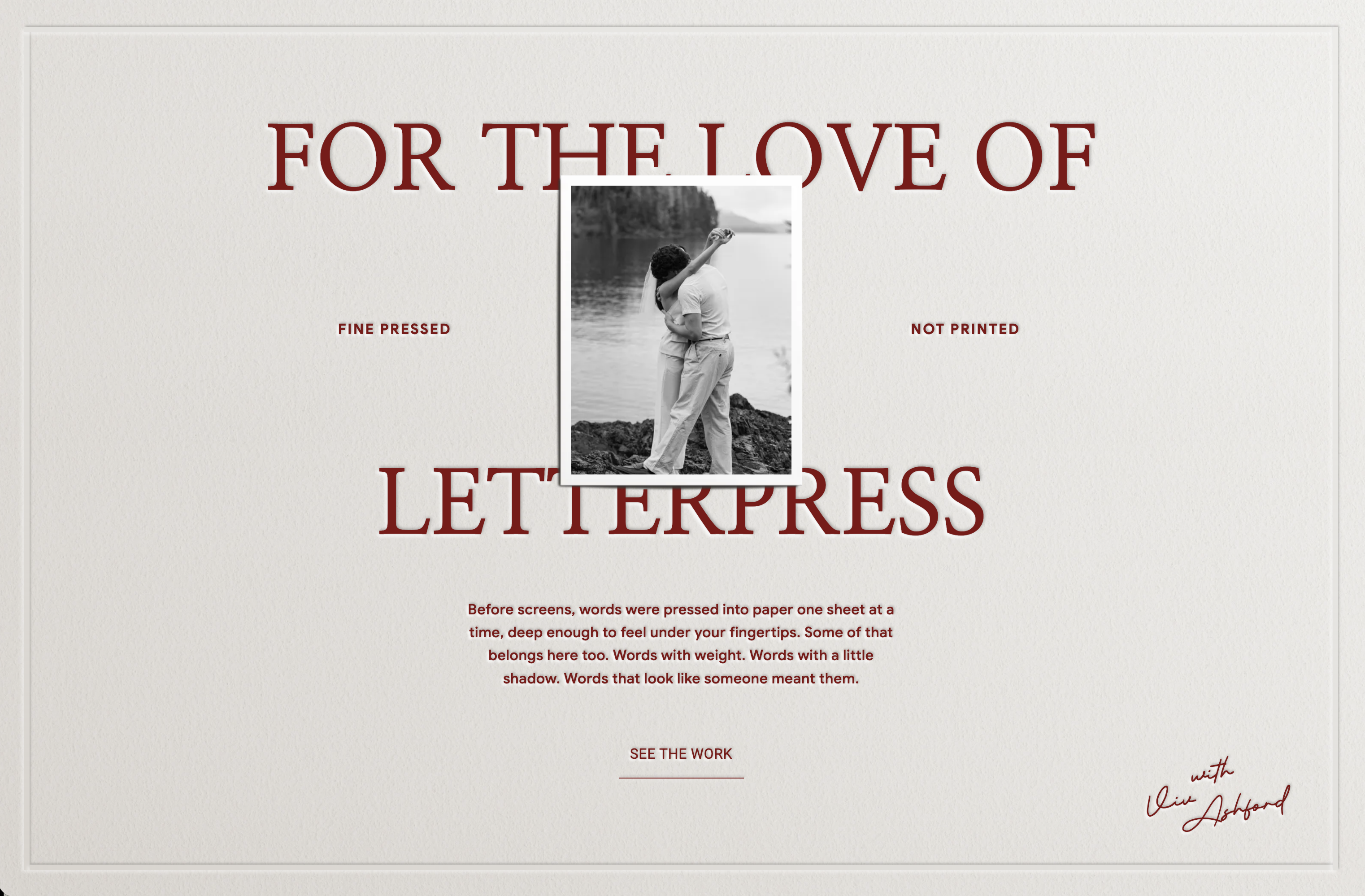
Letterpress Effect Editor
$57 - $127
Add to Cart
View Demo
Canvas + Editor
Hotspot Editor
$27 - $97
Add to Cart
View Demo
Canvas + Editor
Typewriter Editor
$57 - $127
Add to Cart
View Demo
Canvas + Editor
Confetti Editor
$57 - $127
Add to Cart
View Demo
Canvas + Editor
Image Marquee Editor
$57 - $127
One block of finished code. One Showit embed. Done.
Copy, paste, publish
Text boxes, sliders, color pickers. Nothing called a selector.
Plain controls
See every change before it gets anywhere near your site.
Live preview
Text boxes, sliders, color pickers. Nothing called a selector.
Plain controls
One block of finished code. One Showit embed. Done.
Copy, paste, publish
Our original animation packs moved into the Canvas & Animations Kit a while back. Since then, Showit snippets have turned up in a lot of places. Which is fine. Code is code.
But a snippet only helps until the first edit. After that, it's homework.
So instead of making more snippets that you needed a degree to read, we built the part that comes after: a live editor, hosted on our site, that helps you customize the code.
Showit Code Snippets are everywhere now. But, editors aren’t.

Each editor comes with a done-for-you Showit canvas, designed and already wired with the code. Drop it into your site like any other canvas.
Add the canvas
N°01
Change the words, colors, speed and spacing. The preview updates as you go, so you see exactly what you're getting before you copy anything.
Open the editor
N°02
Copy the finished code, paste it into the canvas embed, publish. Want something different next season? Open the editor again.
Copy, paste, publish
N°03
Refresh an existing website
Already have a Showit site? Drop any canvas straight into your existing design. Mix, match, and replace sections without starting from scratch.
N°01
N°02
Build a site from scratch
No template? No problem. With 70 canvases covering every section, you have everything you need to assemble a full, cohesive website.
Three steps and none of them involve a CSS file.
You built them a beautiful site with a marquee on it. Six weeks later they want it to say something else, and now it's your Tuesday. Give them an editor instead.
Every Code Editor also comes in an unbranded version, made for client projects and the templates you sell. Same canvas. Same editor. Nothing that says Northfolk.
✦ Hosted on a neutral Showit site link, not northfolk.co
✦ No Northfolk name or logo anywhere your customer looks
✦ Extended License, for client sites and templates you build and sell
✦ Hand your customer the link. Skip the support email.
The full terms live on our licensing page, which we'd rather you read now than in a Stripe dispute later.

